Every conversation. More context.
Capture in English or Spanish, review the meaning, and choose what you share.
Release date to be announced · Published
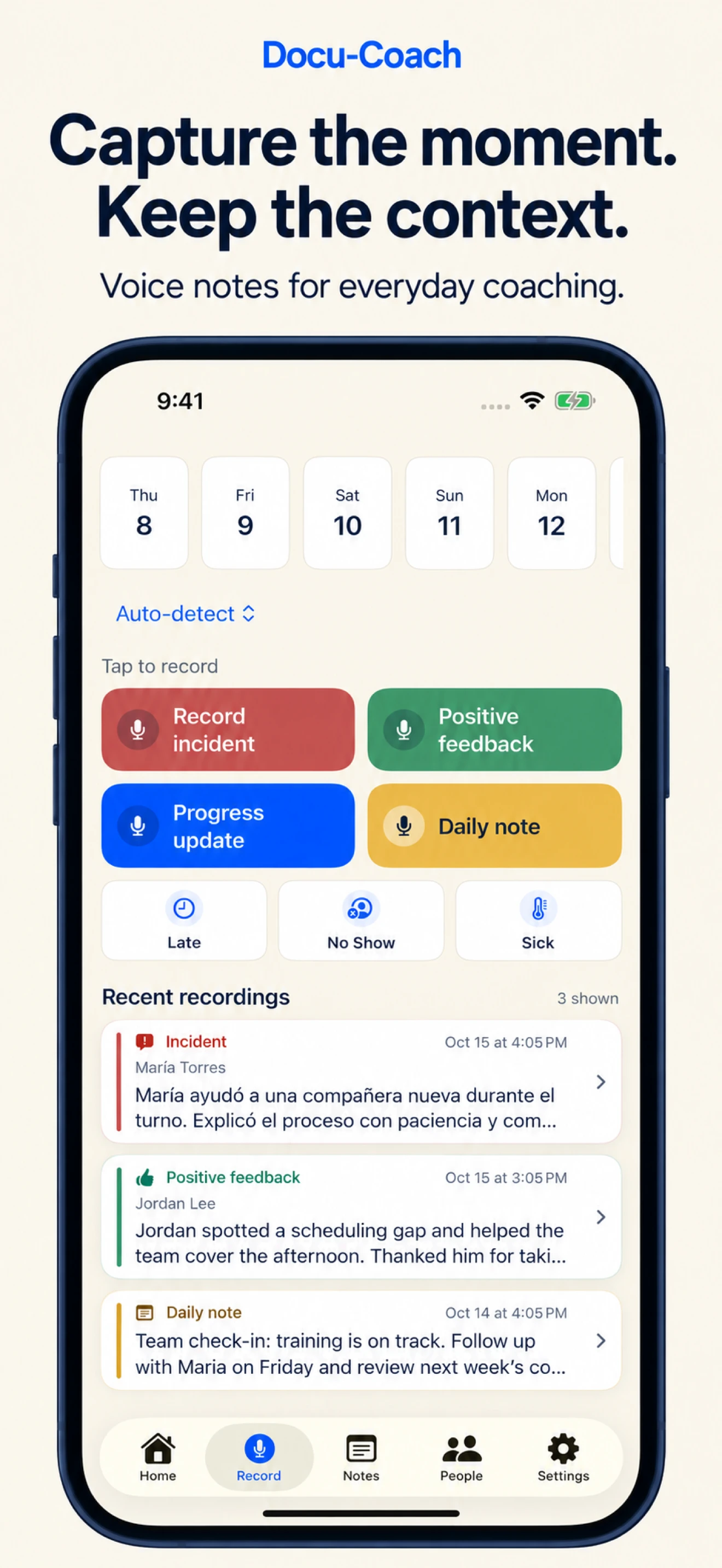
A useful record starts with what someone actually said. The next iPhone update brings English and Spanish capture, translations you can compare with the original, and bilingual PDFs—alongside clearer control over AI processing and a safer way back into your account.
Start in the language of the conversation.
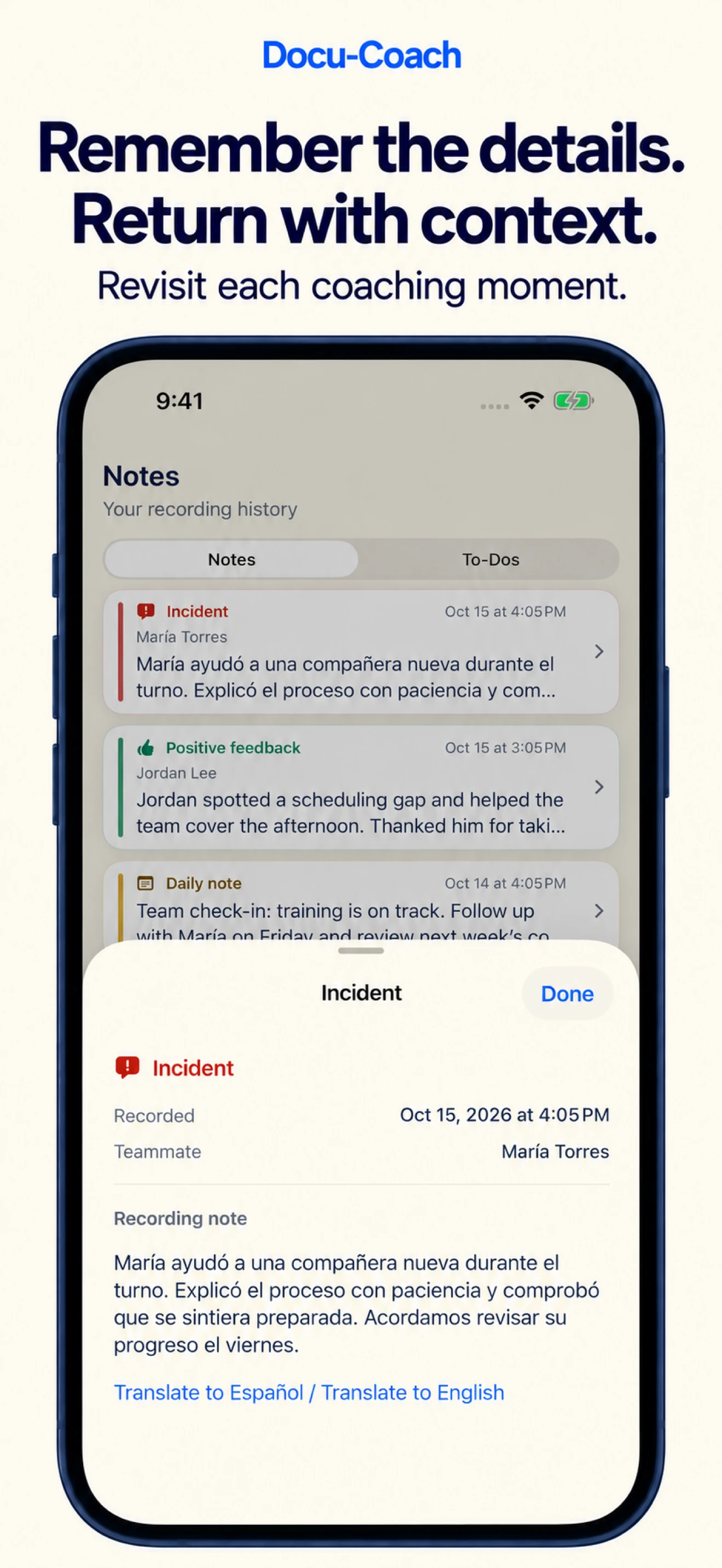
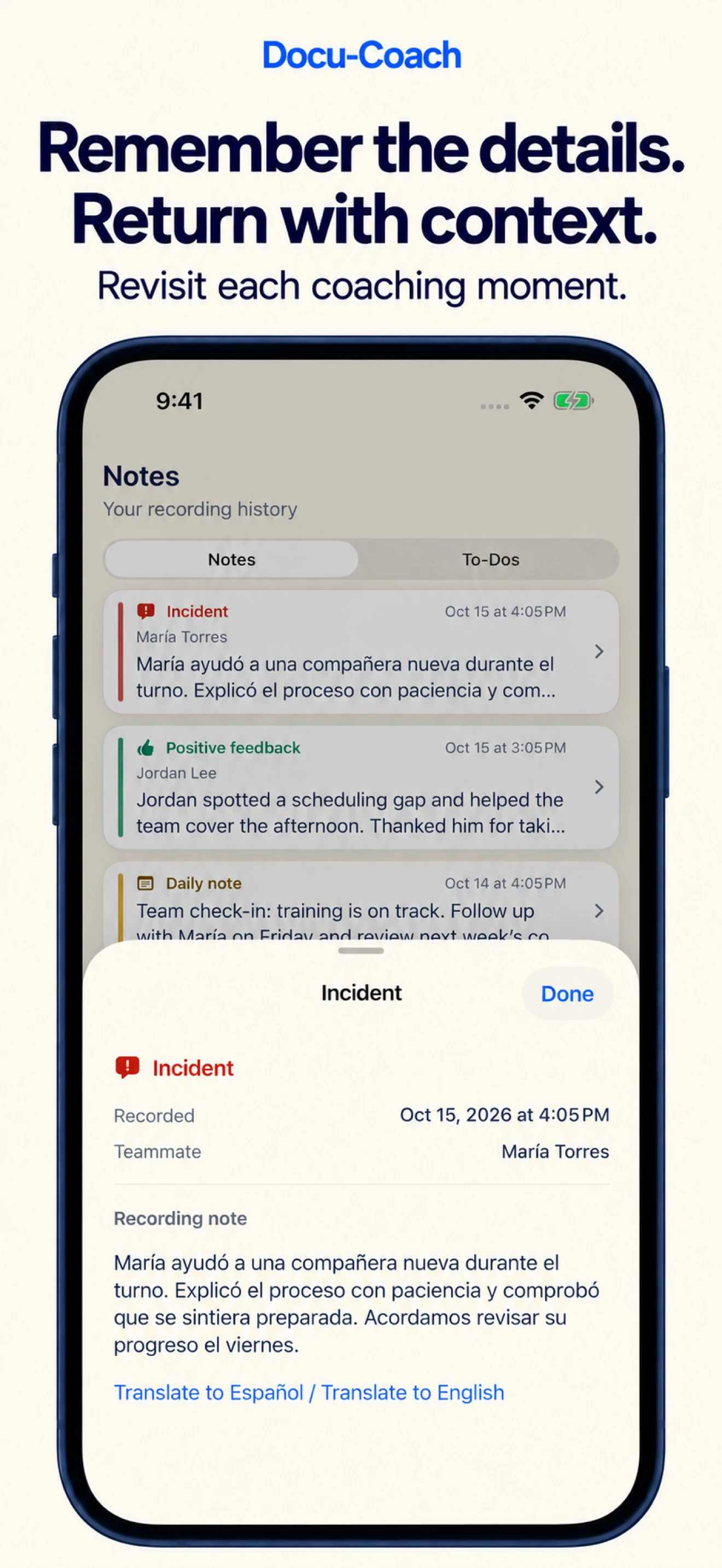
Choose English, Spanish, or automatic language detection when you capture a coaching moment. Preserve the original-language record so you can return to the words and context that started the conversation.
This is support for recording and reviewing content in both languages. It does not mean every screen in the iPhone app has been translated into Spanish.
Compare the translation with the original.
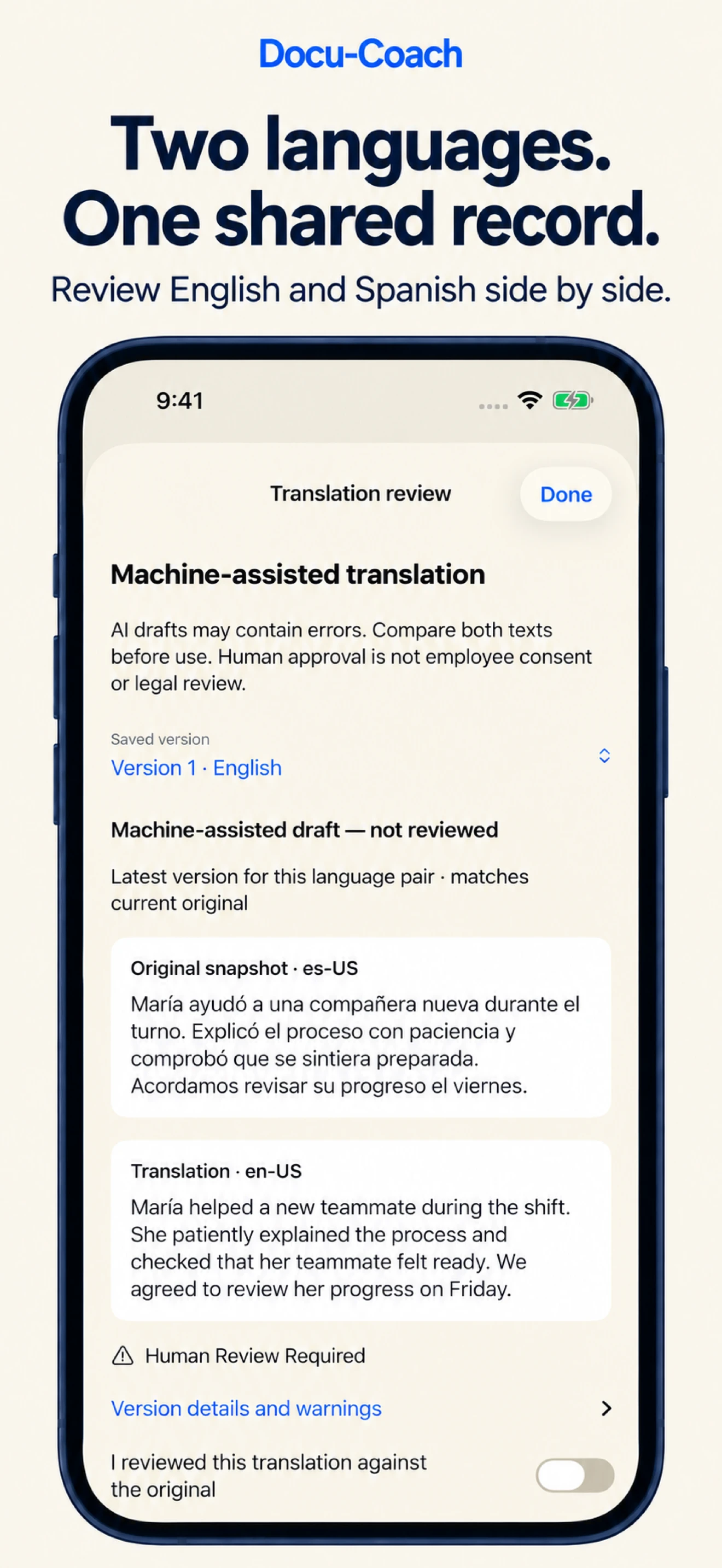
Open a saved record and request a translation into English or Spanish. The review screen keeps the original snapshot and translated text together, so you can check the meaning without switching between separate documents.
AI translations begin as drafts. The app shows their review status and asks you to confirm that you checked the translation against the original before marking it reviewed. Reviewing a translation is not employee consent or legal review.
Share both languages with the context intact.
Export a bilingual PDF from the translation workflow when you need a shareable record. Original and translated content travel together, with review status visible rather than implied.
An unreviewed translation remains labeled as a draft in its PDF. Export rechecks access and the applicable plan before preparing the file.
Invite another manager from your phone.
The manager-invitation flow gives you a link or code to share with another manager. They sign in to accept and join your existing organization, subject to its access rules and available seats.
Joining a team does not grant unrestricted access to everyone’s notes. Record access continues to follow the manager’s membership and permissions.
Choose when your content goes to AI.
A new account-level permission explains when audio or text is sent to OpenAI for processing. Capture submission, typed-note saves and translation generation require that permission before the relevant content is sent.
You can withdraw permission in Settings. Your previously saved records remain available to read, and deferred AI operations are canceled when permission is revoked.
Reconnect without abandoning unfinished recordings.
If your session expires, reconnecting to the same account preserves locally saved, unsent recordings. The app checks account identity and workspace access before you deliberately retry an upload.
Settings also provides direct paths to support, privacy information and account deletion, while the sign-in screen includes password recovery.
Also worth knowing
- Translation review identifies saved versions and warns when the original has changed.
- Original records remain separate from machine-assisted translation drafts.
- Account deletion includes a confirmation explaining retention behavior before you proceed.